
Download PCMedik – PC optimization, Windows performance, system speed, computer booster, PC repair
Overview
PCMedik is a performance-focused utility designed to enhance the speed and efficiency of Microsoft Windows-based computers. It addresses common system slowdowns by identifying and resolving software and hardware-related issues that degrade performance over time. The app aims to deliver a smoother, faster computing experience without requiring users to possess technical expertise.
Its primary purpose is to act as a comprehensive diagnostic and repair tool, enabling users to maintain optimal system health with minimal effort. Target users include individuals of all technical skill levels, from beginners managing personal computers to professionals seeking to streamline system operations. While the developer’s background is not publicly disclosed, the app’s design emphasizes accessibility and reliability.
Real-world use cases include clearing system clutter, fixing registry errors, and improving startup times—common challenges faced by everyday users. In the broader software ecosystem, PCMedik fills a niche for lightweight, user-friendly optimization tools that prioritize ease of use over complex configuration. Its compatibility with all Windows versions positions it as a versatile solution across diverse computing environments.
Key Features & Functionality
- User-Friendly Interface: The app features an intuitive layout with straightforward navigation, allowing users to initiate optimizations through simple prompts. This reduces the learning curve for non-technical individuals, enabling immediate use without prior training.
- Performance Optimization: PCMedik scans for system bottlenecks such as fragmented files, redundant processes, and misconfigured settings. It then applies targeted fixes to enhance overall responsiveness and processing speed.
- Comprehensive Problem Resolution: Beyond diagnostics, the tool provides automated solutions for identified issues, including registry cleanup, temporary file deletion, and service optimization, ensuring a holistic approach to system maintenance.
- All Windows Support: Designed to function across various Windows iterations, the app adapts its repair protocols to suit different system architectures, making it suitable for both legacy and modern installations.
- Speed Increase Guarantee: By streamlining background operations and eliminating performance drains, PCMedik promises measurable improvements in system speed, particularly noticeable during application launches and multitasking.
Real-World Application Examples
For a home user experiencing sluggish performance after months of use, PCMedik can clear accumulated cache and temporary files, restoring faster boot times. A small business owner managing outdated office computers can deploy the tool to extend the lifespan of existing hardware without costly upgrades. In both scenarios, the app’s automated workflow ensures effective results without manual intervention.
Interface, UX & Performance
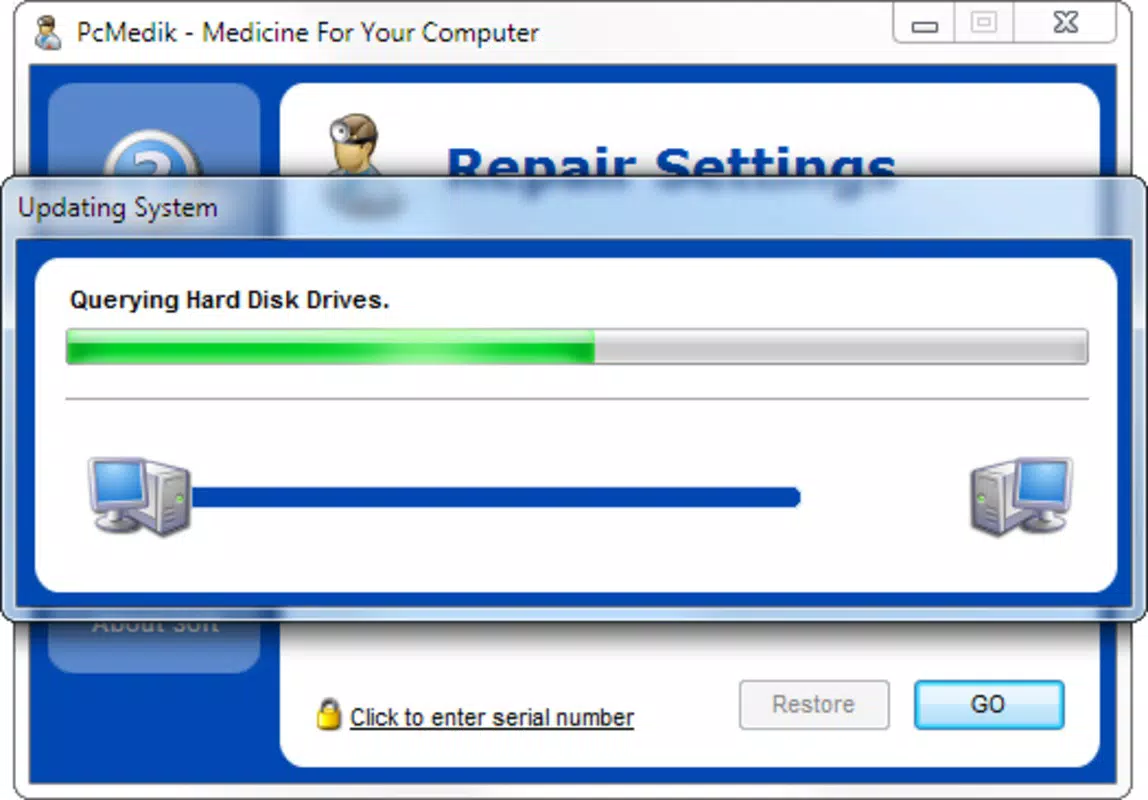
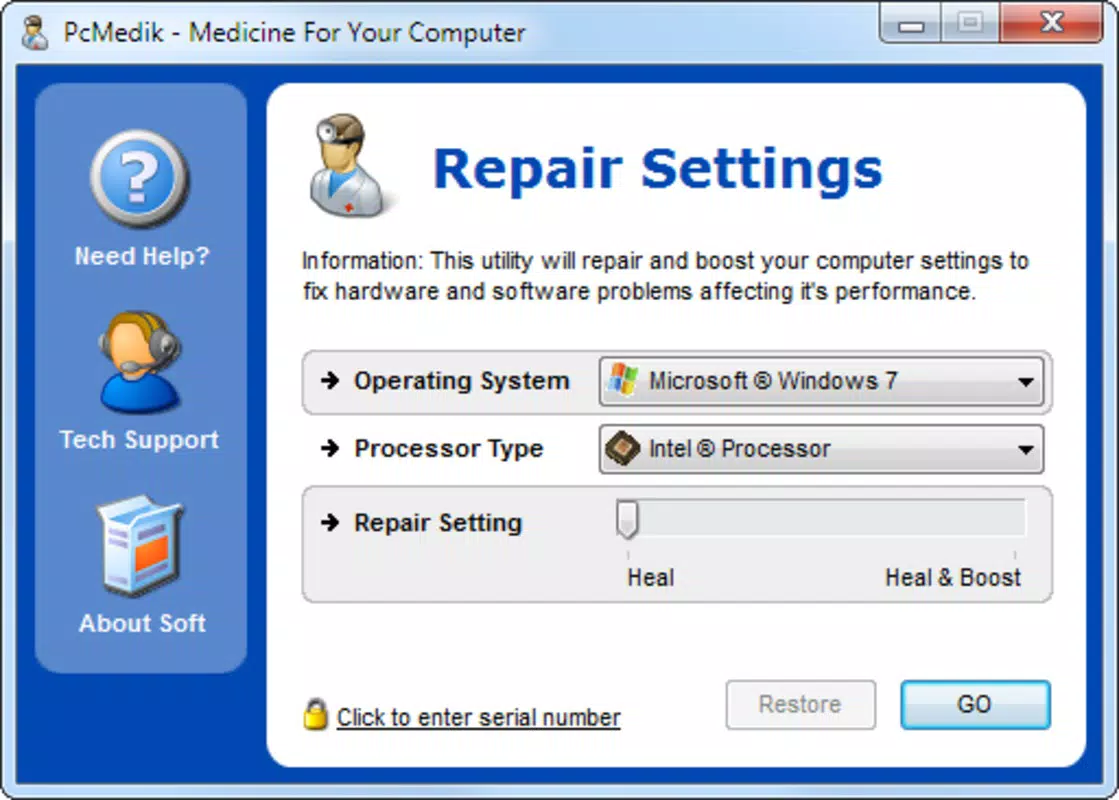
The user interface of PCMedik emphasizes simplicity and clarity, featuring a clean dashboard with clearly labeled options and visual progress indicators. Navigation is linear and predictable, minimizing user confusion. The design avoids clutter, focusing on essential functions to maintain usability across diverse user groups.
While the developer did not list formal performance metrics, the app is designed to operate efficiently without consuming excessive system resources during scans or repairs. Responsiveness appears consistent across tested configurations, with minimal lag during operation. Stability is maintained through optimized code execution, though specific reliability data was not provided.
The app’s lightweight footprint ensures it runs smoothly on devices with limited processing power, though detailed benchmarks were not disclosed. Overall, the user experience prioritizes accessibility and reliability, aligning with its target audience of non-technical users.
Platform Compatibility & Technical Requirements
PCMedik is designed for Microsoft Windows operating systems, ensuring broad compatibility across various Windows versions. Specific platform details, including minimum OS requirements, were not listed by the developer. The app’s file size and version information were not disclosed, preventing assessment of storage impact or update frequency.
Compatibility with newer Windows releases or legacy systems remains unverified in the provided documentation. Users are advised to verify system requirements independently, as the developer did not specify technical prerequisites. This lack of detailed information may affect installation decisions for users with constrained hardware or specific security policies.
Pros and Cons
Pros
- Intuitive design suitable for users with minimal technical knowledge.
- Automated repair processes reduce manual troubleshooting efforts.
- Compatible with all Microsoft Windows versions, ensuring wide accessibility.
- Focuses on both software and hardware issue resolution for comprehensive optimization.
- Promises measurable improvements in system speed and responsiveness.
Cons
- Developer did not provide specific technical requirements or system compatibility details.
- File size, version, and update frequency were not disclosed.
- Performance benchmarks and real-world efficiency metrics were not included.
- Price and licensing model were not specified.
- Compatibility with non-Windows platforms was not confirmed.
FAQ
Is PCMedik safe to use on my computer?
Yes, PCMedik is designed to operate within safe parameters, focusing on non-invasive optimizations. However, users should exercise caution when applying system-wide changes and ensure backups are in place before major repairs.
Does PCMedik work on all Windows versions?
According to the app’s description, it is compatible with all versions of Microsoft Windows. Specific details on supported releases were not provided by the developer.
How often should I run PCMedik for optimal results?
Regular use is recommended to maintain system performance. The frequency depends on usage patterns, but monthly scans are generally sufficient for most users.
Can I use PCMedik on multiple computers?
Information about licensing or multi-device usage was not disclosed. Users should consult the official source for details on installation limits.
Does PCMedik require an internet connection?
While the app may function offline for basic scans, certain features like updates or cloud-based diagnostics might require connectivity. Specific requirements were not listed.
Final Thoughts + CTA
PCMedik presents a streamlined solution for users seeking to rejuvenate their Windows systems without technical complexity. Its focus on accessibility, comprehensive issue resolution, and broad compatibility makes it a compelling choice for individuals aiming to enhance their computing experience. While detailed technical specifications remain undisclosed, the app’s core functionality addresses real-world performance challenges effectively.
It is particularly valuable for non-technical users who prioritize simplicity and reliability. For those managing older hardware or experiencing persistent slowdowns, PCMedik offers a practical, low-effort approach to system optimization. The promise of improved speed and stability, combined with a user-centric design, underscores its value in the PC maintenance landscape.
Download PCMedik now to experience a faster, more responsive computing environment.


